Blog Filters:
-
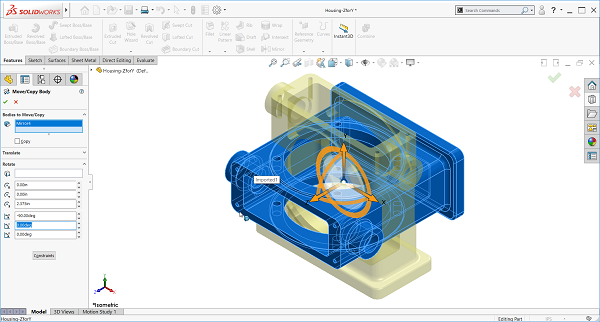
SOLIDWORKS How-To: Reorient an Imported Part
See how you can easily fix orientations on imported parts through the Move / Copy body function.
-
What is the SOLIDWORKS Cloud Offer?
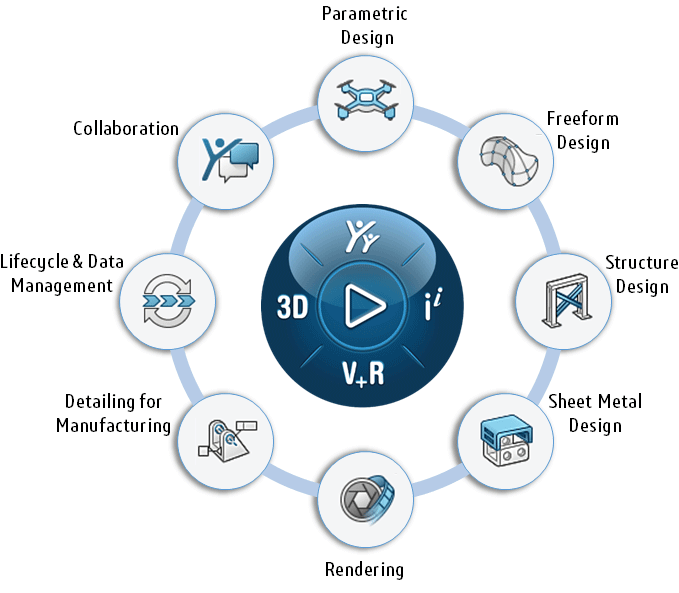
The SOLIDWORKS Cloud Offer brings together 9 powerful next-generation design solutions running on the cloud-based 3DEXPERIENCE platform. Create designs, access data, or view on your laptop or tablet – all in a web browser.
-
Jump-Start Your SOLIDWORKS CAD Management
Establish the best practices for SOLIDWORKS use in your company. Learn everyday CAD management tasks, from troubleshooting software settings to mass installation.
-
Which SOLIDWORKS PDM License Type is Right for Me?
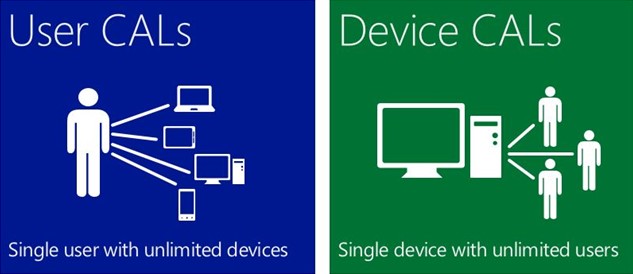
SOLIDWORKS PDM provides licenses that can extend specific permissions and capabilities to anyone who needs them, from the engineering team to customer service, accounting, and the shop floor. Learn how to keep your users aligned.
-
SQL Licensing Changes for SOLIDWORKS 2022 PDM & Manage
SOLIDWORKS has made changes to the way that SQL licensing will be with future versions of PDM and Manage. This blog goes over the changes being made and what you need to know for the future.
-
The Importance of SOLIDWORKS Electrical: User Rights Administration
Given the various roles in your user base, you may find it appropriate to give your users specific roles and permissions within SOLIDWORKS Electrical. Discover the importance of optimizing your environment.
-
Do I Need Data Management? – The Business Case
Having some flavor of a data management framework is an opportunity to proactively transform your data from a liability to an asset. Discover what data management can do for you.
-
SOLIDWORKS Performance Enhancements 2019-2022
Learn about SOLIDWORKS Performance Enhancements and discover the latest improvements made from 2019-2022 to maximize your innovation and productivity.
-
Effectively Manage Your SOLIDWORKS Electrical Libraries
Teams working with SOLIDWORKS Electrical will encounter several phases in the life of using the tool, starting with planning, installation, training, and implementation. Learn how to better manage your team, electrical content, and userbase.
-
Discover the Power of SOLIDWORKS Electrical: Implementation Benefits
Understanding the key benefits to help solve key critical business issues while integrating both mechanical and electrical engineering makes life easier for your engineering designers. With GSC’s implementation services, we can accelerate your team’s adoption and upskill in a short time frame.
-
3 Key Pillars of an Effective Data Management Strategy
It’s rare for the cost of a data management strategy to outweigh the benefits. If your company has a small and finite product offering with no plans for growth, it might not be for you. If that isn’t you, rest assured, the business case for data management in your organization is strong.
-
Prepare for the Cloud: 3DEXPERIENCE Cloud Eligibility Checker
Access data anywhere and connect with customers to deliver the best experience. Learn how the Cloud Eligibility Checker tool can help ensure you are ready for the cloud.
-
Preparing for the 3DEXPERIENCE Platform
The 3DEXPERIENCE Platform offers an expansive suite of tools, to help connect departmental functions throughout your organization in a way that’s not just CAD-aware but CAD-intelligent.
-
3D Sculpting A ‘Misfit Toy’ For Christmas
See how the 3DExperience platform and xShape were used to create a model of the Rankin-Bass claymation “misfit toy” known as the Spotted Elephant. Follow along and design your own.
-
WoundSim Plugin for Abaqus Makes Composite Tank Design Easy
The WoundSim plugin application simplifies the process of designing and simulating composite pressure vessels. Learn how this application can help you ease the design process of composite tanks.
-
Ellison Technologies Inc. Acquires GSC
We are pleased to announce that GSC has joined the Ellison Technologies family! Through the acquisition, we will be able to offer a comprehensive portfolio of manufacturing solutions – from the inception of the design through the end of the part’s lifespan or redesign.
-
Enhance Your SOLIDWORKS Experience with Subscription Services
Don’t let outdated software affect your performance. With SOLIDWORKS subscription services, we can help you maximize your SOLIDWORKS design experience and take your projects to the next level.
-
The Evolution of 3D Printing
The concept of 3D printing anything and everything is a common thought amongst many individuals. While that hasn’t occurred and probably won’t for a long time, additive manufacturing is quickly becoming a need for many manufacturers.
-
Top 5 Enhancements You Can Expect With CAMWorks 2021 Plus
CAMWorks 2021 Plus introduces many new advanced features to help you maximize efficiency and improve your manufacturing processes. Let’s take a closer look at the top five enhancements in this blog.
-
The FX20 brings the Digital Forge and Continuous Fiber Reinforcement to a New Realm of Parts, Problems, and Industries.
The FX20 is the largest and most precise machine Markforged has ever produced. Learn how the FX20 brings the digital forge and continuous fiber reinforcement technology that brings a new realm of parts, problems, and industries.
-
Adopt a better data-driven decision-making structure with Finite Element Analysis or Computational Fluid Dynamics
When a company grows, its use of and need for simulation tools requires more inputs and balancing of more constraints. As a consultant, I’ve worked on in-depth projects and trained…
-
Benefits of Virtual Simulation Over Hand Calculations [White Paper]
Learn why best-in-class companies are turning to virtual simulation over hand calculations and physical prototyping.
-
You’ve Got Mail! (In the Cloud): Learn All About SOLIDWORKS PDM Notifications
Don’t let cloud-hosted email services stand between your PDM notifications and your inbox. While on-premises email servers are becoming less common, SMTP delivery is still on the table in PDM. This how-to breaks down your options.
-
SOLIDWORKS Tutorial: Two Methods to Fillet an Entire Part
If you’ve ever had to fillet an entire part in SOLIDWORKS, including every single edge, then we have some good news for you! There are two methods with shortcuts you should know, to save you time when working with a cast or molded part that needs filleting.



SOLIDWORKS Webinars & Power Hours