
Enhance Your SOLIDWORKS Experience with Subscription Services
Don’t let outdated software affect your performance. With SOLIDWORKS subscription services, we can help you maximize your SOLIDWORKS design experience and take your projects to the next level.
Read More
You’ve Got Mail! (In the Cloud): Learn All About SOLIDWORKS PDM Notifications
Don’t let cloud-hosted email services stand between your PDM notifications and your inbox. While on-premises email servers are becoming less common, SMTP delivery is still on the table in PDM. This how-to breaks down your options.
Read More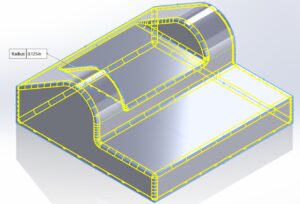
SOLIDWORKS Tutorial: Two Methods to Fillet an Entire Part
If you’ve ever had to fillet an entire part in SOLIDWORKS, including every single edge, then we have some good news for you! There are two methods with shortcuts you should know, to save you time when working with a cast or molded part that needs filleting.
Read More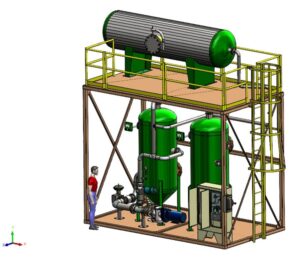
Which Way is Up? Z Axis in SOLIDWORKS & Using the Coordinate Icon
SOLIDWORKS users have tools to help simplify working with the AEC world, whether exporting or importing. A recent enhancement in 2020 and newer releases includes the Orientation dialog and the new Coordinate option, to tell SOLIDWORKS that the Z axis means “up”! Learn more.
Read More
SOLIDWORKS Workflow Improvements To Know – Efficiency Gains Over the Years
In the last decade, SOLIDWORKS has made large workflow changes. Applications Engineer Cody Pendzich walks through the biggest features added in the last decade around user interface improvements, new modeling features, and large assembly / drawing performance.
Read More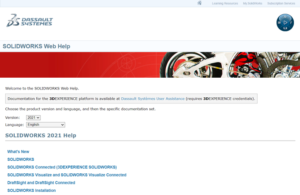
Lost SOLIDWORKS Lore: SOLIDWORKS Online Help
SOLIDWORKS Online Help is an easy-to-use, complete reference resource for all things SOLIDWORKS. Learn more about it in this blog.
Read More
Change Your SOLIDWORKS Icons to Prevent Versioning Errors
If you work with multiple versions of SOLIDWORKS, it can get difficult to make sure you’re not opening a file in a newer version than you intended. To help prevent this confusion, we recommend updating your icons with a custom graphic, and we show you how in this tutorial.
Read More
Lost SOLIDWORKS Lore: Custom Property on the Save Dialog
You might have noticed you can put a value in the Description box when saving a file that will assign the value to the Description property itself. But, you can actually map the box in the Save dialog to any custom property you like! Learn how.
Read More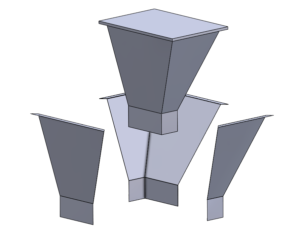
Create Complex SOLIDWORKS Sheet Metal Designs By First Modeling a Form (With Video)
Did you know you can model the volume for sheet metal designs as a solid body to start, pulling sheet metal pieces from the body? Find out about the tool called Convert to Sheet Metal specifically for this purpose!
Read More
Lost SOLIDWORKS Lore: Custom Property List (With Video)
Learn how to change the contents of your Custom Properties List in SOLIDWORKS. (Complete with video tutorial!)
Read More
SOLIDWORKS Manage 2021 New Features & Benefits (With Video)
Managing multiple projects is commonplace for people who use SOLIDWORKS Manage. New in 2021, SOLIDWORKS introduced Project Lists, Automatic Project Updates, additional Project Data Visualization, and more!
Read More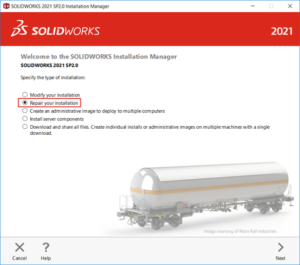
The Fix for VBA Error When Installing SOLIDWORKS SP1 & Older
After installing SOLIDWORKS 2021 SP2 or higher, you will now receive install errors on all versions prior, due to upgraded VBA Components. This blog will go into detail on what caused this issue and how to fix it.
Read More