
Software Features
SOLIDWORKS PDM – Vault Design for Save As & Copy Tree Optimization
PDM vaults can have the same metadata clearing behavior whether Save As or Copy Tree is used, but ultimately, setup and training are the best ways to ensure vault consistency.
Read More
Proper Engineering Practices & Data Management
Having a workflow for engineering documents to travel through in their life cycle is not only efficient, but convenient.
Read More
Design Automation – What, How & Why?
Free up design engineers from repetitive, monotonous tasks and elevate product quality at the same time. DriveWorks provides this and more.
Read More
SOLIDWORKS Electrical Spring Training Series: Part 6
Let’s see how SOLIDWORKS Electrical lets you pick what players in the game (…or in the project) make it to the finish – in our final reporting.
Read More
SOLIDWORKS Electrical Spring Training Series: Part 5
The deciding moments of a game are especially strategic. Managers do everything they can to give their team the best chance to win. Similarly, SOLIDWORKS Electrical enables you to make last minute changes on the fly and get your design lineup laid out perfectly through Edit Attributes.
Read More
SOLIDWORKS Electrical Spring Training Series: Part 4
Learn how to make your choice of one-time or permanent symbols through the black box feature. Much like having a skilled veteran player up your sleeve, we can retain these permanent players to your roster for wins, wins, and more wins.
Read More
SOLIDWORKS Task Scheduler for PDF Creation
Gain helpful tips on how to use SOLIDWORKS Task Scheduler to create PDFs from SOLIDWORKS files.
Read More
SOLIDWORKS PCB Rookie Camp Part IV: Wire or Bus Entry
We can join a bus with 2 different methods, “bus entry” or “wire.” Note the difference and use the best one for you!
Read More
SOLIDWORKS PCB Rookie Camp Part III: Fundamentals
Part III of this series highlights the fundamentals you’ll use every day in SOLIDWORKS PCB!
Read More
How to Link a Bill of Materials to a View in SOLIDWORKS
Learn how to link a drawing view to a Bill of Materials and why this can be important.
Read More
SOLIDWORKS PCB Rookie Camp Part I: Schematic Symbol Wizard
Learn how to link a drawing view to a Bill of Materials and why this can be important.
Read More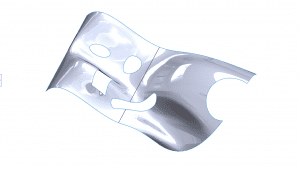
Quickly Delete Surface Holes In SOLIDWORKS
It’s easy to remove gaps and voids on imported surfaces with a few simple tools in SOLIDWORKS.
Read More