

Skip to content
  • Events
  • Training
  • Support
  • Blog
  • Promotions
  • Contact Us
  • 1-800-454-2233
  • Shop
  • Events
  • Training
  • Support
  • Blog
  • Promotions
  • Contact Us
  • 1-800-454-2233
  • Shop
gsc-ellison-header-logo
Main Menu
  • 3D Design Engineering Software
  • Markforged
  • Engineering Services
  • Manufacturing Solutions
Main Menu
  • 3D Design Engineering Software
  • Markforged
  • Engineering Services
  • Manufacturing Solutions
  • Software Solutions
        • SOLIDWORKS 3D CAD
        • Simulation
        • Design Automation
        • CAM
        • Cloud Services
        • Electrical Design
        • DraftSight
        • Manufacturing Production
        • Data Management
        • Technical Communications
        • First Article Inspection
        • Hosted Solutions
        • CADchat
        • DELMIAWorks
  • Markforged
        • 3D PRINTERS

        • Desktop Series
        • Industrial Series
        • FX20
        • Metal X
        • FX10
        • Markforged Applications
        • Materials
  • Engineering Services
    • Implementation
      • 3DEXPERIENCE Services
      • CAD Software Implementation
      • Product Data Management
      • Electrical Implementation Services
    • Training
      • Browse Upcoming Classes
      • Training Catalog
    • Upgrade SOLIDWORKS
      • 2025 Premiere: SOLIDWORKS & 3DEXPERIENCE
    • Productivity Assessments
    • Subscription Benefits
    • Business Process Review
    • CUSTOM APPLICATIONS
  • Manufacturing Solutions

3 Tips from Behind-the-Scenes on the Best SOLIDWORKS PDM Implementations

By Chris Fortin | September 24, 2020

You can cross your “t”s and dot your “i”s and still not end up where you want to be with a PDM Implementation. Why? Because you have to have a positive, engaged CAD Admin and the willingness to let your provider do your data migration for you.

Read More

SOLIDWORKS Electrical Smart Mates for Dummies (With Video)

By Evan Stanek | August 13, 2020

Electrical designers might not know how to push their designs into Electrical 3D. It helps to have a few tricks up your sleeve to make component placement go smoothly, starting with setting your parts up with smart mates for easy locking!

Read More

Reduce Non-Value Added Work Time in Engineering with These Tips

By GSC | August 5, 2020

Dive into this Tech Clarity eBook. The key differentiator to high performing companies: they’re 2X more likely to have maintained up-to-date models than their peers. Made possible by working in an integrated design environment!

Read More
Arnold Talk to the Termination Feature Blog Photo

SOLIDWORKS 2020 Electrical Terminations: Rise of the Machines

By Evan Stanek | July 30, 2020

Have you ever struggled with defining how a wire meets a component’s terminals? Struggle no more. Become a Terminator in SOLIDWORKS Electrical 2020 with newly added terminations.

Read More

Back to the Future with SOLIDWORKS Electrical

SOLIDWORKS Electrical Snapshots: Back to the Future

By Evan Stanek | April 14, 2020

Have you uncovered the convenient snapshots you can take in your SOLIDWORKS Electrical Project? Test new features, capture revisions, or archive project states.

Read More

Worker studying a project on computer screens

Using SOLIDWORKS at Home

By GSC | March 17, 2020

Learn the available SOLIDWORKS access options when working from home and using standalone or network licensing.

Read More

Artificial Intelligence

CAD User Interfaces & AI

By GSC | January 23, 2020

What would it be like for your CAD interface to intuitively adapt to you as you worked?

Read More
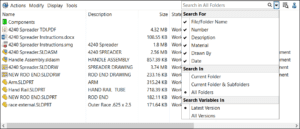
The Finer Points of the New Quick Search in SOLIDWORKS PDM

By Jeff Setzer | November 21, 2019

An exciting new feature in SOLIDWORKS 2020 is the ability for the user to conduct a “Google-like” search in PDM across multiple metadata fields. Learn more.

Read More
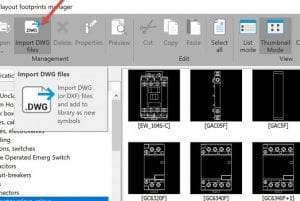
Import DWG files (or DWF) files and add to library as new symbols

Building Up Your 2D Layout Library in SOLIDWORKS Electrical – Part 2

By Evan Stanek | September 26, 2019

Now that you’ve learned benefits of using 2D Cabinet Layouts, expertly build your library following these recommended practices.

Read More
OMAX microMAX Abrasive WaterJet machine

SOLIDWORKS 2020 – A Few Of My Favorite Things

By Jeff Setzer | September 19, 2019

SOLIDWORKS 2020 is rolling out soon, and there’s so much great new stuff, it’s hard to pick just 5 favorite new things.

Read More
You Keep Using That Phrase 2D Cabinet Layout - I do not think that means what you think it means

Understanding 2D Cabinet Layouts in SOLIDWORKS Electrical – Part 1

By Evan Stanek | September 12, 2019

Get the most out of the 2D Cabinet Layout feature in SOLIDWORKS Electrical!

Read More

Woman working on electrical project

Top 10 Questions to Ask When Investigating SOLIDWORKS Electrical Schematic

By Evan Stanek | August 7, 2019

Can you answer these 10 questions without hesitating? Find out simple reasons why GSC + SOLIDWORKS Electrical Schematic checks the box on functionality, training, and ease-of-use.

Read More
« Newer Posts
Older Posts »

Blog Categories

gsc-ellison-header-logo

W189 N11161 Kleinmann Dr.
Germantown, WI 53022

1-800-454-2233

Resources

  • Privacy Policy
  • Terms And Conditions
  • Sitemap
  • Careers
  • About
  • Opt-out preferences
  • Privacy Policy
  • Terms And Conditions
  • Sitemap
  • Careers
  • About
  • Opt-out preferences

Follow Us

Subscribe to our Newsletter

© 2026 GSC | All Rights Reserved.

Cookie Settings
We use cookies to help you navigate efficiently and perform certain functions. You will find detailed information about all cookies under each consent category below.

The cookies that are categorized as "Necessary" are stored on your browser as they are essential for enabling the basic functionalities of the site.
Functional Always active
The technical storage or access is strictly necessary for the legitimate purpose of enabling the use of a specific service explicitly requested by the subscriber or user, or for the sole purpose of carrying out the transmission of a communication over an electronic communications network.
Preferences
The technical storage or access is necessary for the legitimate purpose of storing preferences that are not requested by the subscriber or user.
Statistics
The technical storage or access that is used exclusively for statistical purposes. The technical storage or access that is used exclusively for anonymous statistical purposes. Without a subpoena, voluntary compliance on the part of your Internet Service Provider, or additional records from a third party, information stored or retrieved for this purpose alone cannot usually be used to identify you.
Marketing
The technical storage or access is required to create user profiles to send advertising, or to track the user on a website or across several websites for similar marketing purposes.
  • Manage options
  • Manage services
  • Manage {vendor_count} vendors
  • Read more about these purposes
View preferences
  • {title}
  • {title}
  • {title}
0
    0
    Your Cart
    Your cart is emptyReturn to Shop
    Continue Shopping
    Scroll To Top