
Skip to content
  • Events
  • Training
  • Support
  • Blog
  • Promotions
  • Contact Us
  • 1-800-454-2233
  • Shop
  • Events
  • Training
  • Support
  • Blog
  • Promotions
  • Contact Us
  • 1-800-454-2233
  • Shop
gsc-ellison-header-logo
Main Menu
  • 3D Design Engineering Software
  • Markforged
  • Engineering Services
  • Manufacturing Solutions
Main Menu
  • 3D Design Engineering Software
  • Markforged
  • Engineering Services
  • Manufacturing Solutions
MENUMENU
  • Software Solutions
        • SOLIDWORKS 3D CAD
        • Simulation
        • Design Automation
        • CAM
        • Cloud Services
        • Electrical Design
        • DraftSight
        • Manufacturing Production
        • Data Management
        • Technical Communications
        • First Article Inspection
        • Hosted Solutions
        • CADchat
        • DELMIAWorks
  • Markforged
        • 3D PRINTERS

        • Desktop Series
        • Industrial Series
        • FX20
        • Metal X
        • FX10
        • Markforged Applications
        • Materials
  • Engineering Services
    • Implementation
      • 3DEXPERIENCE Services
      • CAD Software Implementation
      • Product Data Management
      • Electrical Implementation Services
    • Training
      • Browse Upcoming Classes
      • Training Catalog
    • Upgrade SOLIDWORKS
      • 2025 Premiere: SOLIDWORKS & 3DEXPERIENCE
    • Productivity Assessments
    • Subscription Benefits
    • Business Process Review
    • CUSTOM APPLICATIONS
  • Manufacturing Solutions

SOLIDWORKS

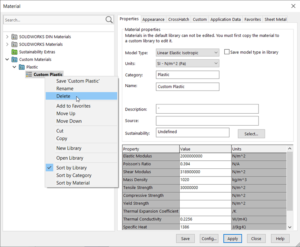
How to Use a Shared Material Library In SOLIDWORKS

By John Setzer | August 5, 2022

Wouldn’t it be nice if everyone on your team could use the same material library? Follow these simple steps, and you’ll have your own database used by your entire team.

Read More
Software OpenGL

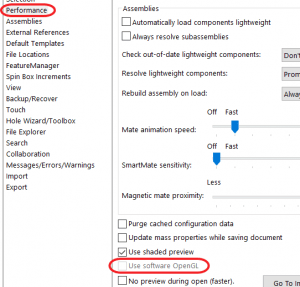
Software OpenGL Settings in SOLIDWORKS

By John Setzer | July 7, 2022

Software OpenGL is a SOLIDWORKS setting that will tell SOLIDWORKS to emulate OpenGL on its own without using graphics card driver’s OpenGL support. Learn why it exists.

Read More
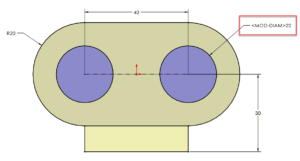
How To Remove MOD-DIAM Display Error in SOLIDWORKS

By Jeff Setzer | June 23, 2022

Did you launch SOLIDWORKS and find that the diameter symbol on your dimensions has been replaced by “MOD-DIAM”? Learn how to easily fix the issue and some advice that will keep it from happening in the future.

Read More
SOLIDWORKS Sketching Smart Dimension Tool Arcs and Circles

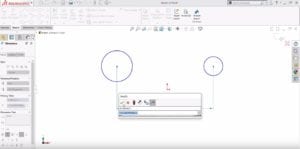
SOLIDWORKS How-To: Using the Smart Dimension Tool When Sketching Arcs & Circles

By John Setzer | May 27, 2022

When you’re sketching in SOLIDWORKS and want to create a dimension, and you don’t want the dimension location to be a circle’s center, use the circumference!

Read More
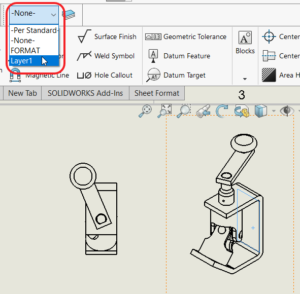
Changing a component color in solidworks

SOLIDWORKS How-To: Change a Component Color in a Drawing View

By John Setzer | May 12, 2022

Walk through this how-to on changing a component color in a drawing.

Read More
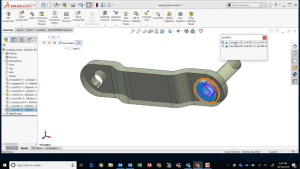
Feature Image

SOLIDWORKS How-To: Copy & Mate by CTRL-Drag & Drop

By John Setzer | May 5, 2022

It’s the little things that make a big difference. Learn this quick drag and drop trick to copy a component AND do SmartMates.

Read More
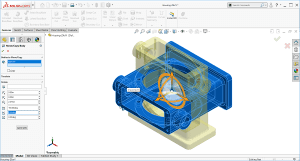
Move / Body / Copy feature

SOLIDWORKS How-To: Reorient an Imported Part

By John Setzer | April 7, 2022

See how you can easily fix orientations on imported parts through the Move / Copy body function.

Read More

Cloud offer

Jump-Start Your SOLIDWORKS CAD Management

By Jeff Setzer | March 17, 2022

Establish the best practices for SOLIDWORKS use in your company. Learn everyday CAD management tasks, from troubleshooting software settings to mass installation.

Read More
SOLIDWORKS Performance Enhancements

SOLIDWORKS Performance Enhancements 2019-2022

By Jeff Setzer | February 7, 2022

Learn about SOLIDWORKS Performance Enhancements and discover the latest improvements made from 2019-2022 to maximize your innovation and productivity.

Read More
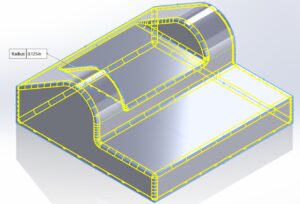
SOLIDWORKS Tutorial: Two Methods to Fillet an Entire Part

By GSC 3D | September 23, 2021

If you’ve ever had to fillet an entire part in SOLIDWORKS, including every single edge, then we have some good news for you! There are two methods with shortcuts you should know, to save you time when working with a cast or molded part that needs filleting.

Read More
Which Way is Up? Z Axis in SOLIDWORKS & Using the Coordinate Icon

By Jeff Setzer | September 16, 2021

SOLIDWORKS users have tools to help simplify working with the AEC world, whether exporting or importing. A recent enhancement in 2020 and newer releases includes the Orientation dialog and the new Coordinate option, to tell SOLIDWORKS that the Z axis means “up”! Learn more.

Read More
SOLIDWORKS Workflow Improvements To Know – Efficiency Gains Over the Years

By Cody Pendzich | August 12, 2021

In the last decade, SOLIDWORKS has made large workflow changes. Applications Engineer Cody Pendzich walks through the biggest features added in the last decade around user interface improvements, new modeling features, and large assembly / drawing performance.

Read More
« Newer Posts
Older Posts »

Blog Categories

gsc-ellison-header-logo

W189 N11161 Kleinmann Dr.
Germantown, WI 53022

1-800-454-2233

Resources

  • Privacy Policy
  • Terms And Conditions
  • Sitemap
  • Careers
  • About
  • Opt-out preferences
  • Privacy Policy
  • Terms And Conditions
  • Sitemap
  • Careers
  • About
  • Opt-out preferences

Follow Us

Subscribe to our Newsletter

© 2025 GSC | All Rights Reserved.

Cookie Settings
We use cookies to help you navigate efficiently and perform certain functions. You will find detailed information about all cookies under each consent category below.

The cookies that are categorized as "Necessary" are stored on your browser as they are essential for enabling the basic functionalities of the site.
Functional Always active
The technical storage or access is strictly necessary for the legitimate purpose of enabling the use of a specific service explicitly requested by the subscriber or user, or for the sole purpose of carrying out the transmission of a communication over an electronic communications network.
Preferences
The technical storage or access is necessary for the legitimate purpose of storing preferences that are not requested by the subscriber or user.
Statistics
The technical storage or access that is used exclusively for statistical purposes. The technical storage or access that is used exclusively for anonymous statistical purposes. Without a subpoena, voluntary compliance on the part of your Internet Service Provider, or additional records from a third party, information stored or retrieved for this purpose alone cannot usually be used to identify you.
Marketing
The technical storage or access is required to create user profiles to send advertising, or to track the user on a website or across several websites for similar marketing purposes.
  • Manage options
  • Manage services
  • Manage {vendor_count} vendors
  • Read more about these purposes
View preferences
  • {title}
  • {title}
  • {title}
0
    0
    Your Cart
    Your cart is emptyReturn to Shop
    Continue Shopping
    Scroll To Top