
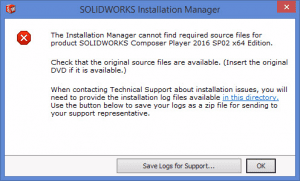
SOLIDWORKS: Installation Manager Cannot Find Required Source Files
A common hurdle to a repair or update of the SOLIDWORKS application is a failure of the Installation manager to locate the source files that were used to install the application.
Read More
How to Use Meshing in SOLIDWORKS Flow Simulation – Part 4
Let’s talk about how to use adaptive mesh in Part 4 of our SOLIDWORKS Flow Simulation series.
Read More
How to Use Meshing in SOLIDWORKS Flow Simulation – Part 3
Let’s talk about how to use initial mesh in Part 3 of our SOLIDWORKS Flow Simulation series.
Read More
How to Use Meshing in SOLIDWORKS Flow Simulation – Part 2
Let’s talk about how to use basic mesh in Part 2 of our SOLIDWORKS Flow Simulations series.
Read More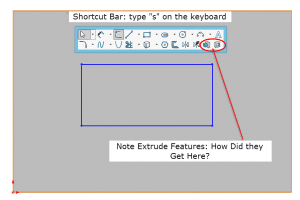
SOLIDWORKS Shortcut Bar Quick Tip: Adding Feature Tools to Your Sketch Shortcut Bar
Here’s a quick tip to help you customize your SOLIDWORKS Sketch Shortcut Bar with tools outside of the normal grouping.
Read More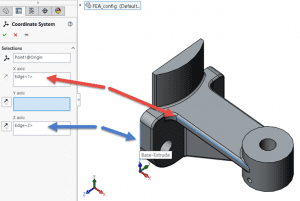
How to Export Using a Custom Coordinate System in SOLIDWORKS
CAD systems like SOLIDWORKS and CAM systems use different directions for defining coordinate systems. The result is, when a model is exported from SOLIDWORKS and imported to a CAM system, the model comes up in the CAM system in the “wrong” orientation. The good news is there’s a simple fix!
Read More
How to Use Meshing in SOLIDWORKS Flow Simulation – Part 1
Welcome to Part 1 of our four-part SOLIDWORKS Flow Simulation series! In Part 1, we’ll take a closer look at the basics and stages of Flow Simulation.
Read More