

SOLIDWORKS Subscription Service Benefit: Free Certification Exams!
Learn how to access your SOLIDWORKS Subscription Service added benefit – vouchers for free SOLIDWORKS Certification Exams.
Read More
Technical Support FAQ: Upgrading SOLIDWORKS
Upgrading SOLIDWORKS installations is generally straightforward, but there are different approaches to the upgrade based on your situation.
Read More
Upgrading Santa’s Sleigh with SOLIDWORKS
Envious of all the new vehicle comfort and safety features, Mrs. Claus decided to upgrade Santa’s sleigh just in time for Christmas.
Read More
How to Become a SOLIDWORKS Superhero [e-book]
Most superheroes discover their new found superpowers after a freak accident, but not you.
Read More
What is the Best Computer Hardware for SOLIDWORKS?
The answer to this question varies somewhat on the type of things you design, but mostly the variability comes from time – as in, its passage.
Read More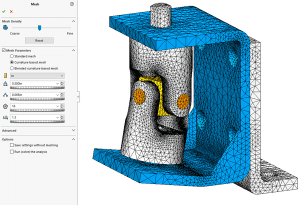
Who Needs Mesh Controls Anyway?
Optimize the quality of your mesh with the global mesh settings.
Read More
SOLIDWORKS Simulation: Getting Started
Those new to SOLIDWORKS Simulation tend to look for the “easy” button. While the software can be easy to use, if it knew exactly what we wanted and how to do it we’d likely be out of jobs.
Read More
SOLIDWORKS 2017: Wrap Feature
Watch and learn how to use the new and improved wrap feature in SOLIDWORKS 2017.
Read More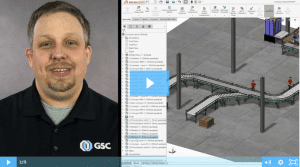
SOLIDWORKS 2017: Magnetic Mates
SOLIDWORKS 2017 introduces magnetic mates, a real game-changer when working with large assemblies.
Read More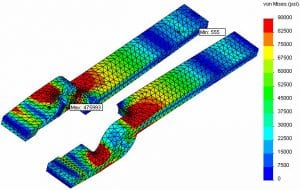
The General Process of Fatigue Analysis
Running a fatigue analysis is becoming a growing trend in mechanical parts and assemblies.
Read More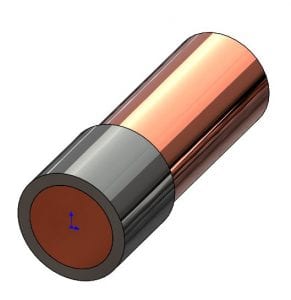
Removing Interfering Material In A SOLIDWORKS Assembly
From my product designer’s perspective, one of the most useful functions in a 3D solid modeler such as SOLIDWORKS is the ability to check for potential interferences in their still-virtual assembly.
Read More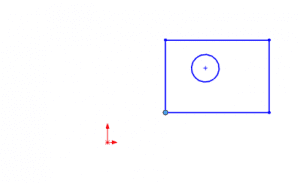
Use SOLIDWORKS Align Sketch Tool to Move Underdefined Sketch Elements to the Origin
While production models should generally have fully defined sketches, sometimes you just want to make all the elements in an underdefined sketch move to the origin, such as when working with imported or copied geometry. There is an easy way to do this in SOLIDWORKS, you just have to know where to look.
Read More