
SOLIDWORKS
Function Better: Shift to SOLIDWORKS Keyboard Shortcuts
Do you want to work faster in SOLIDWORKS? Then, look no further than the SOLIDWORKS keyboard shortcuts.
Read More
What is the Best Computer Hardware for SOLIDWORKS?
The answer to this question varies somewhat on the type of things you design, but mostly the variability comes from time – as in, its passage.
Read More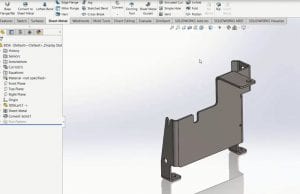
Using SOLIDWORKS 3D Interconnect with Sheet Metal Parts
The new 3D Interconnect functionality introduced in SOLIDWORKS 2017 is useful when working with a variety of native non-SOLIDWORKS files, including parts that are ultimately sheet metal in nature.
Read More
Experience All the Benefits of a Complete 3D Design Solution
To learn more about the features in SOLIDWORKS Premium, see what our experts have to say.
Read More
5 Best Practices for Successful Product Development & Innovation
Successful product development and innovation goes far beyond designing something you think is cool.
Read More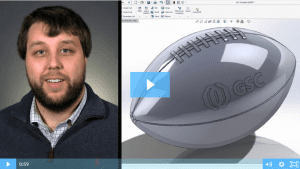
SOLIDWORKS 2017: Wrap Feature
Watch and learn how to use the new and improved wrap feature in SOLIDWORKS 2017.
Read More
Top 5 Best Practices for a Seamless CAD Implementation
Over my 37+ years in manufacturing, I have overseen several CAD system implementations and optimizations within a global environment. Some have gone smoother than others, but I’ve learned a lot of great lessons along to help you get the most value out of your CAD system.
Read More
SOLIDWORKS 3D Interconnect: Seamless Collaboration Between CAD Platforms
3D Interconnect is a revolutionary technology that allows a SOLIDWORKS user to directly open files and use models from other native CAD systems in their native format.
Read More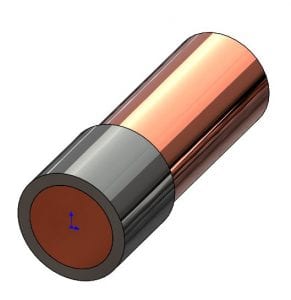
Removing Interfering Material In A SOLIDWORKS Assembly
From my product designer’s perspective, one of the most useful functions in a 3D solid modeler such as SOLIDWORKS is the ability to check for potential interferences in their still-virtual assembly.
Read More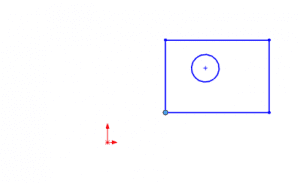
Use SOLIDWORKS Align Sketch Tool to Move Underdefined Sketch Elements to the Origin
While production models should generally have fully defined sketches, sometimes you just want to make all the elements in an underdefined sketch move to the origin, such as when working with imported or copied geometry. There is an easy way to do this in SOLIDWORKS, you just have to know where to look.
Read More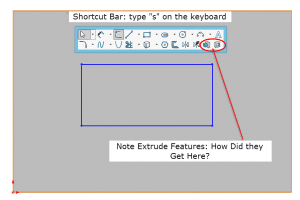
SOLIDWORKS Shortcut Bar Quick Tip: Adding Feature Tools to Your Sketch Shortcut Bar
Here’s a quick tip to help you customize your SOLIDWORKS Sketch Shortcut Bar with tools outside of the normal grouping.
Read More