

SOLIDWORKS Electrical Spring Training Series: Part 5
The deciding moments of a game are especially strategic. Managers do everything they can to give their team the best chance to win. Similarly, SOLIDWORKS Electrical enables you to make last minute changes on the fly and get your design lineup laid out perfectly through Edit Attributes.
Read More
SOLIDWORKS Electrical Spring Training Series: Part 4
Learn how to make your choice of one-time or permanent symbols through the black box feature. Much like having a skilled veteran player up your sleeve, we can retain these permanent players to your roster for wins, wins, and more wins.
Read More
SOLIDWORKS Electrical Spring Training Series: Part 3
In baseball, every collectible piece of information is tallied and accounted for. The same is true in your SWE project – as a comprehensive database program, master your Component Numbers and make better decisions because of it.
Read More
SOLIDWORKS Electrical Spring Training Series: Part 2
Find more Electrical tips and tricks! Like pitch framing in baseball, we have a little adjustment you can do to the wipeout frames in your library of footprints, giving you the control you need to knock out another design.
Read More
SOLIDWORKS Electrical Spring Training Series: Part 1
Welcome to GSC’s SOLIDWORKS Electrical Spring Training! Spring is in the air…not actually in the arctic-tinged air where another groundhog prediction of 2 weeks of spring was woefully inaccurate (a foot of…
Read More
Access Insightful Sessions at Engineer 3D! Training + Technology Conference
GSC will hold its biennial Engineer 3D! Training + Technology Conference on October 2-3, 2019, at the Potawatomi Hotel and Casino in Milwaukee, WI.
Read More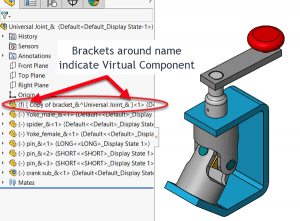
SOLIDWORKS How-To: Copy a Part Using Virtual Component
When you want to modify a part, but you want to change a copy and not the original, use a virtual part. Learn how.
Read More
Online Training: Everything You Need to Know
You might have a few questions about our new online training! Here’s everything you need to know before registering for a session.
Read More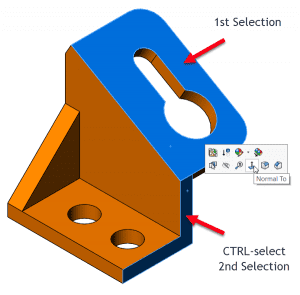
SOLIDWORKS How-To: Normal To Orientation Trick
Do you know how to orient a model normal to a face but not have the view orientation use default “Y” orientation?
Read More
Online Training Offerings Now Available
We’re excited to announce that we’re now offering online training for several of our existing courses.
Read More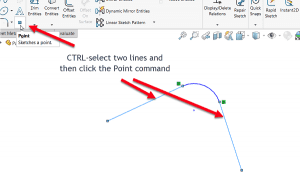
SOLIDWORKS How-To: Create Virtual Sharps in Sketches
Place a point in a sketch that represents the location of 2 lines intersecting – creating a virtual sharp (not a shared a point).
Read More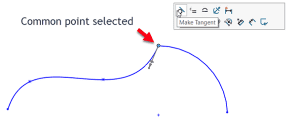
SOLIDWORKS How-To: Add Relations with Shared Sketch Endpoints
Less clicks means less time sketching. Learn how sketch relationships can be quickly added by the press of a button.
Read More