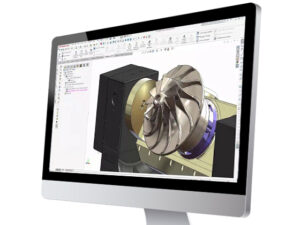
A good technical illustration can make an intricate product feel familiar. A bad technical illustration can make a straightforward installation feel like a puzzle designed by someone who has never held a wrench.
For INNOVA (formerly Ephoca), a global manufacturer of energy-efficient HVAC systems, clear installation and user manuals became an increasingly important part of the customer experience. As INNOVA expanded across North America, its hypergrowth required more documentation for installers, technicians, and end users. Engineering released new and updated product lines at a steady pace. The technical illustration team needed a way to keep up.
Producing the graphics for a manual could take several days of detailed, highly skilled work. Working with GSC, INNOVA found a faster approach in SOLIDWORKS Composer.
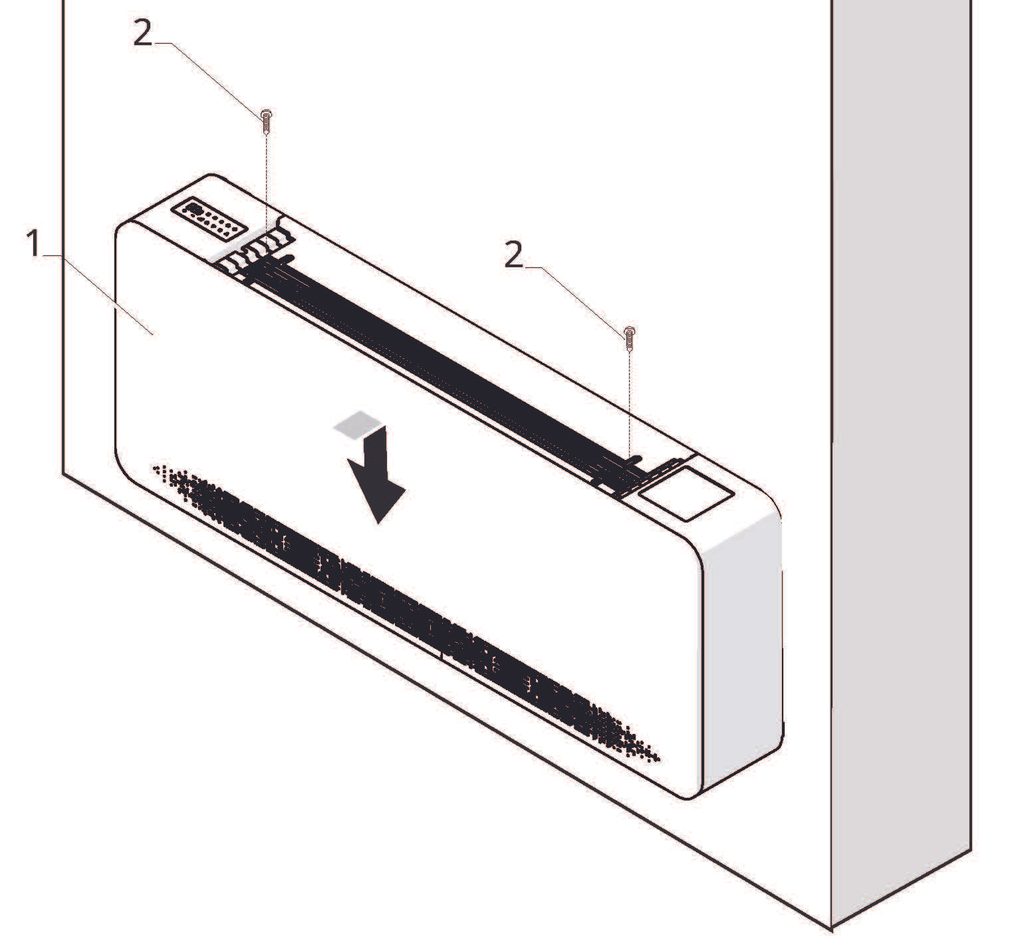
Great Products Need to Be Illustrated
Founded in Italy in 2004, INNOVA develops heating, ventilation, air-conditioning, and indoor-air-quality systems focused on energy efficiency, performance, and modern design. Today, its products are used in more than 30 countries across hotels, multifamily housing, assisted-living facilities, commercial buildings, and retrofit projects.
These projects often demand efficient, comfortable, visually appealing systems that can fit into tight spaces. INNOVA’s products are built to meet those needs. Still, even the best-engineered HVAC system must be installed, maintained, and clearly understood by the people working with it in the field.
Installers, technicians, and end users need to know which panel comes off first, where a component belongs, how an assembly fits together, and what the finished installation should look like. That is where technical documentation stops being paperwork and becomes part of the product itself. As INNOVA’s North American presence grew, the company wanted its US and Canadian manuals to reflect the same level of thought and quality as the systems they explained.
A Skilled Process, Ready to Scale
Before implementing SOLIDWORKS Composer, INNOVA used several different software tools to create technical illustrations. As a result, much of the work was manual: rebuilding CAD information as illustrations, positioning callouts, creating views, adding lines, and checking each graphic for accuracy. The process worked, but it required time, patience, and specialized skill. Illustrations for one installation or troubleshooting manual could take several days.
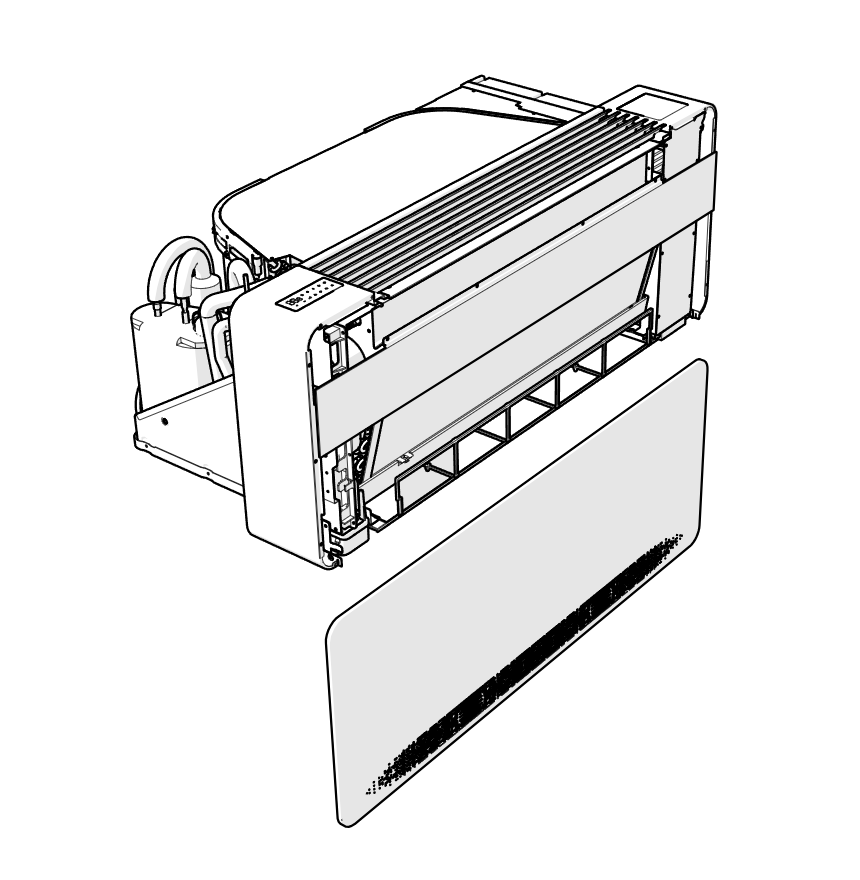
The frustration was that the engineering work already existed in 3D model files, including geometry, components, assemblies, and part relationships. Without a practical way to reuse that data, the team had to translate product information for every new manual, slowing publication and consuming valuable time.
INNOVA Was Not Only Shopping for Software
INNOVA evaluated several SOLIDWORKS value-added resellers while seeking a better documentation workflow. GSC stood out by looking beyond the product demo. Its team studied how INNOVA’s products were designed, how manuals were produced, where bottlenecks occurred, and what the company would need as it grew. GSC treated the challenge as a workflow problem, not just a software purchase.
That mattered. A feature is useful only when it solves the right problem. For INNOVA, the issue was not simply illustration work, but the missing repeatable link between engineering models and customer-facing documentation.
GSC recommended SOLIDWORKS Composer because it addressed that specific gap.
“We needed a solution that would systematize and streamline the creation of technical illustrations,” INNOVA explained. “SOLIDWORKS Composer significantly reduced our time to publication. Creating the technical illustrations we need for an Installation or Troubleshooting Manual has gone from taking several days to just hours.”
For INNOVA, that meant faster publication without compromising quality.
Turning 3D Models into Technical Illustrations
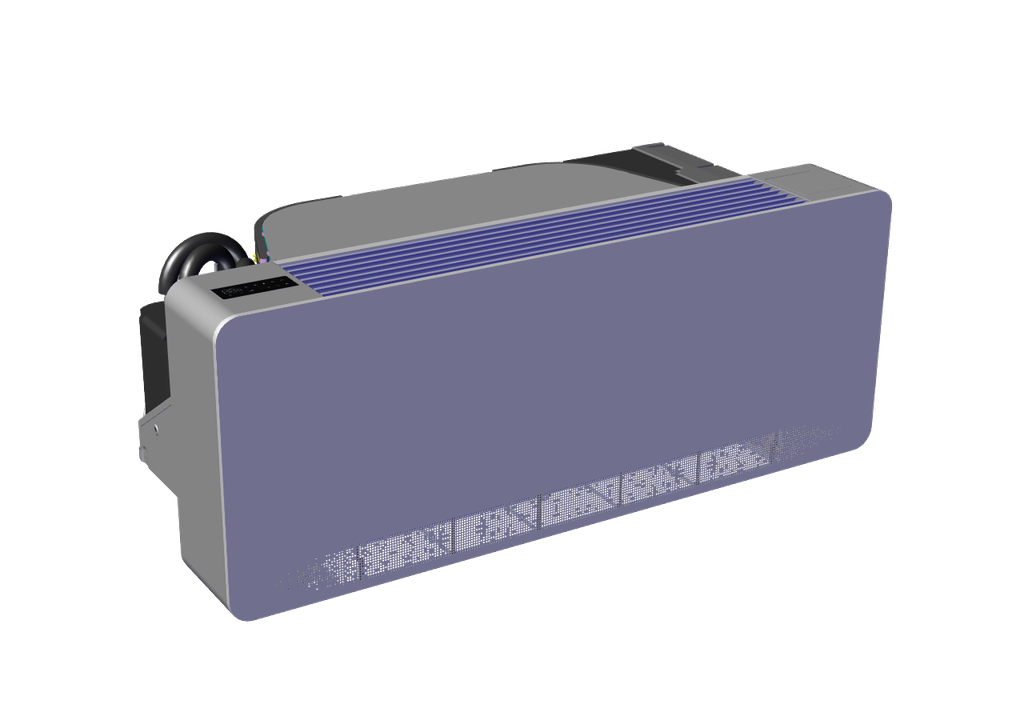
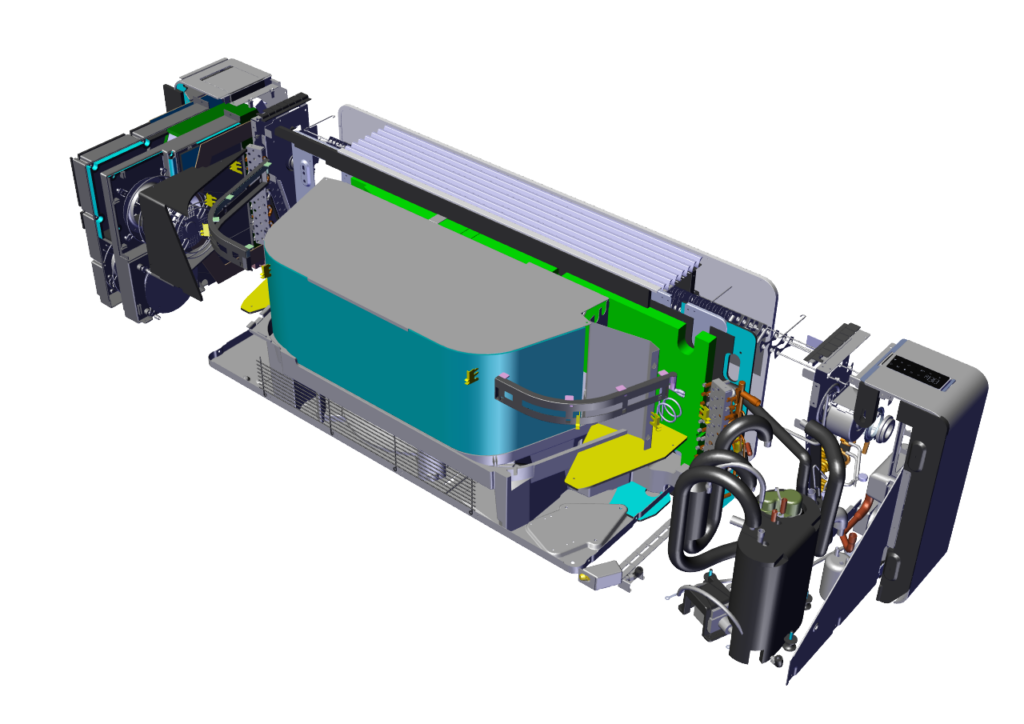
SOLIDWORKS Composer lets INNOVA create technical illustrations directly from existing 3D CAD data. Instead of rebuilding products in an illustration program, the team works from the STEP files engineering has already created.
The team can isolate components, create exploded views, rotate assemblies to the right angle, and add callouts, labels, arrows, or step-by-step sequences.
That matters because great technical documentation removes uncertainty. Strong illustrations answer practical questions:
- Where should this accessory be connected?
- How and where could the unit be mounted?
- Where does this protective cover belong?
- How should the HVAC unit look before an installer begins a procedure?
Clear answers help installers work confidently, service teams troubleshoot efficiently, and customers avoid confusion.
A Faster, More Repeatable Workflow
The new workflow has helped INNOVA create installation and troubleshooting manuals more efficiently while giving its team a more effective way to produce technical illustrations.
Just as importantly, technical documentation no longer must wait until the end of the product-development process. The documentation team can work more closely alongside engineering as new products move toward release, making it easier for the manual and the product to reach the finish line together.
This reduces the risk of last-minute production scrambles and gives INNOVA a practical way to support future growth.
Clearer Manuals Make Life Easier in the Field
The internal efficiency gains are important, but the improvements made for installers and service technicians may be even more valuable. INNOVA’s manuals now contain clearer views and callouts, more consistent illustrations, and graphics that are easier to interpret in real-world conditions.
Technical manuals are rarely used in ideal conditions. They are often opened on a job site, next to partially installed equipment, or during a service call. In those moments, users do not need decorative graphics. They need the right view of the right component in the right place.
According to INNOVA, “Our technical illustrations now have a consistency that matches or exceeds the publication quality of the biggest companies in the HVAC industry.” That consistency does more than improve the manual’s appearance. It shows customers that the same care INNOVA invested in engineering the product also went into helping them install, operate, and maintain it.
More Illustrations Without More Bottlenecks
As demand for documentation increases, INNOVA can now produce more illustrations without turning every manual into a separate production headache.
INNOVA has increased the visual detail and usefulness of its documentation without significantly increasing the production burden. The team often says, “A picture is worth a thousand words.” In technical documentation, the right picture is also worth fewer avoidable errors, fewer service calls, and fewer frustrated people standing beside a piece of equipment wondering what the manual is trying to tell them.
INNOVA didn’t just find a faster way to create illustrations. It built a stronger connection between its engineers, installers, and end users.
By implementing SOLIDWORKS Composer with dedicated support from GSC, INNOVA turned technical documentation into a stronger business asset: clearer information for customers, improved efficiency for staff, and more time for engineers to focus on next-generation HVAC solutions.
Learn more about INNOVA and its HVAC systems at innova.co.
To see how SOLIDWORKS Composer can help your team turn existing 3D models into clear, publication-ready technical documentation, contact GSC.
Share
Meet the Author

view all posts by GSC
SOLIDWORKS Webinars & Power Hours