

Skip to content
  • Events
  • Training
  • Support
  • Blog
  • Promotions
  • Contact Us
  • 1-800-454-2233
  • Shop
  • Events
  • Training
  • Support
  • Blog
  • Promotions
  • Contact Us
  • 1-800-454-2233
  • Shop
gsc-ellison-header-logo
Main Menu
  • 3D Design Engineering Software
  • Markforged
  • Engineering Services
  • Manufacturing Solutions
Main Menu
  • 3D Design Engineering Software
  • Markforged
  • Engineering Services
  • Manufacturing Solutions
MENUMENU
  • Software Solutions
        • SOLIDWORKS 3D CAD
        • Simulation
        • Design Automation
        • CAM
        • Cloud Services
        • Electrical Design
        • DraftSight
        • Manufacturing Production
        • Data Management
        • Technical Communications
        • First Article Inspection
        • Hosted Solutions
        • CADchat
        • DELMIAWorks
  • Markforged
        • 3D PRINTERS

        • Desktop Series
        • Industrial Series
        • FX20
        • Metal X
        • FX10
        • Markforged Applications
        • Materials
  • Engineering Services
    • Implementation
      • 3DEXPERIENCE Services
      • CAD Software Implementation
      • Product Data Management
      • Electrical Implementation Services
    • Training
      • Browse Upcoming Classes
      • Training Catalog
    • Upgrade SOLIDWORKS
      • 2025 Premiere: SOLIDWORKS & 3DEXPERIENCE
    • Productivity Assessments
    • Subscription Benefits
    • Business Process Review
    • CUSTOM APPLICATIONS
  • Manufacturing Solutions

Electrical Design

PCB Training Camp Part II

SOLIDWORKS PCB Rookie Camp Part II: IPC Compliant Footprint Wizard

By Evan Stanek | August 17, 2018

Check out the fancy footwork of the IPC Compliant Footprint wizard in SOLIDWORKS PCB

Read More

PCB Training Camp Part 1

SOLIDWORKS PCB Rookie Camp Part I: Schematic Symbol Wizard

By Evan Stanek | August 2, 2018

Learn how to link a drawing view to a Bill of Materials and why this can be important.

Read More
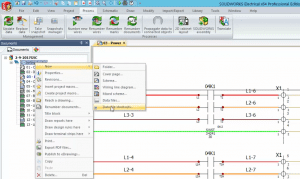
Electrical Shortcuts

SOLIDWORKS Electrical 2017: Data Files Shortcut

By Evan Stanek | April 3, 2017

When using data file shortcuts in SOLIDWORKS Electrical 2017, all of your reference documentation can now be a live link that stays up to date.

Read More
Electrical Shortcuts

SOLIDWORKS Electrical 2017: Propagate Data to Connected Objects

By Evan Stanek | March 17, 2017

A powerful numbering scheme in SOLIDWORKS Electrical 2017

Read More
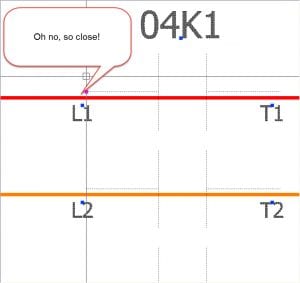
Connection Dots

SOLIDWORKS Electrical: Connection Dots

By Evan Stanek | March 13, 2017

No need to lament any further over missed connections, thanks to these SOLIDWORKS Electrical new features.

Read More
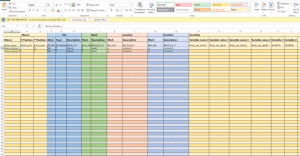
Excel Automation Template

SOLIDWORKS Electrical Time Savers

By Evan Stanek | August 17, 2016

These SOLIDWORKS Electrical tips will save you time over the long haul.

Read More
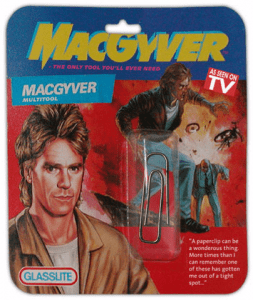
SOLIDWORKS Electrical: The Ins & Outs of Connection Labels

By Evan Stanek | June 22, 2016

SOLIDWORKS Electrical Connection Labels may just make you feel a little more like MacGyver. That is, if he had access to a Swiss Army knife instead of a wad of gum and a paper clip.

Read More
« Newer Posts

Blog Categories

gsc-ellison-header-logo

W189 N11161 Kleinmann Dr.
Germantown, WI 53022

1-800-454-2233

Resources

  • Privacy Policy
  • Terms And Conditions
  • Sitemap
  • Careers
  • About
  • Opt-out preferences
  • Privacy Policy
  • Terms And Conditions
  • Sitemap
  • Careers
  • About
  • Opt-out preferences

Follow Us

Subscribe to our Newsletter

© 2025 GSC | All Rights Reserved.

Cookie Settings
We use cookies to help you navigate efficiently and perform certain functions. You will find detailed information about all cookies under each consent category below.

The cookies that are categorized as "Necessary" are stored on your browser as they are essential for enabling the basic functionalities of the site.
Functional Always active
The technical storage or access is strictly necessary for the legitimate purpose of enabling the use of a specific service explicitly requested by the subscriber or user, or for the sole purpose of carrying out the transmission of a communication over an electronic communications network.
Preferences
The technical storage or access is necessary for the legitimate purpose of storing preferences that are not requested by the subscriber or user.
Statistics
The technical storage or access that is used exclusively for statistical purposes. The technical storage or access that is used exclusively for anonymous statistical purposes. Without a subpoena, voluntary compliance on the part of your Internet Service Provider, or additional records from a third party, information stored or retrieved for this purpose alone cannot usually be used to identify you.
Marketing
The technical storage or access is required to create user profiles to send advertising, or to track the user on a website or across several websites for similar marketing purposes.
  • Manage options
  • Manage services
  • Manage {vendor_count} vendors
  • Read more about these purposes
View preferences
  • {title}
  • {title}
  • {title}
0
    0
    Your Cart
    Your cart is emptyReturn to Shop
    Continue Shopping
    Scroll To Top