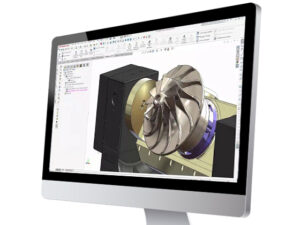
Prototyping is essential for creating reliable, high-performing products—but physical prototypes can be expensive and time-consuming to produce.
By combining SOLIDWORKS CAD with SOLIDWORKS Simulation, engineering teams can test product performance virtually—identifying issues, optimizing designs, and validating performance before the first physical prototype is built. The result? Faster timelines, lower costs, and better products.

1. SOLIDWORKS CAD: The Digital Product Blueprint
SOLIDWORKS CAD allows engineers to create detailed, accurate 3D models of parts and assemblies. These models contain all the geometry and material properties needed to represent the real product.
But the CAD model is more than just a visual representation—it’s the foundation for testing and validation in Simulation. Because the two tools are fully integrated, there’s no need to export, translate, or rebuild models for analysis.

2. SOLIDWORKS Simulation: Virtual Testing Without the Wait
SOLIDWORKS Simulation uses the CAD model to run physics-based analyses, allowing engineers to:
- Test strength and durability under real-world loads
- Predict thermal performance and heat dissipation
- Evaluate fluid flow and aerodynamics
- Analyze vibration and fatigue for long-term reliability
Instead of waiting weeks for a physical prototype to be built and tested, engineers can run simulations in hours—often testing multiple design scenarios in the same day.

3. How CAD and Simulation Work Together Seamlessly
When SOLIDWORKS CAD and Simulation are used together:
- Design in CAD – Create your model with all relevant materials and parameters.
- Test in Simulation – Apply loads, constraints, and real-world conditions.
- Refine in CAD – Make changes directly in the model and instantly re-test.
This closed-loop workflow means design changes and performance testing happen in the same environment, with no data loss or duplication of work.

4. The Time and Cost Savings
A virtual testing approach offers measurable benefits:
- Fewer Physical Prototypes – Cut material and manufacturing costs by validating designs digitally first.
- Shorter Development Cycles – Identify and fix issues early, reducing delays from late-stage design changes.
- Improved Product Quality – Optimize performance before launch, reducing warranty claims and failures.
- Better Decision-Making – Compare multiple design options quickly to choose the most cost-effective solution.

5. Real-World Impact
Companies using SOLIDWORKS CAD and Simulation together often report:
- 30–50% reduction in development time
- Significant cost savings in prototype and testing budgets
- Faster time-to-market for new products
- Improved confidence in design decisions

Final Takeaway
By integrating SOLIDWORKS CAD with SOLIDWORKS Simulation, you can test, refine, and validate products virtually—saving both time and money while delivering higher-quality designs to market faster.
Share
Meet the Author

view all posts by GSC
SOLIDWORKS Webinars & Power Hours